Posts

Showing posts with the label Public Preview

Semantic Model Refresh Templates in Power BI (Preview)

Image
Semantic Model Refresh Templates  in Power BI enables you to orchestrate semantic model refreshes using Fabric Data pipelines. This feature allows you to visualize and sequence refresh activities for common and advanced scenarios. You can access these templates by selecting  Create advanced refresh  from the refresh dropdown menu on the semantic model details page in your Microsoft Fabric workspace. The template gallery includes several common refresh scenarios such as event-driven refreshes, refreshing a semantic model after a dataflow runs, scheduled refreshes, and sequencing multiple semantic model refreshes. When you select a template, you can start a guided tour that walks you through the steps to set up a semantic model refresh.   The template gallery can be reopened from the pipeline ribbon in the  Home  tab by selecting the  Use a template  button. Let’s dive in and see several examples for the ...
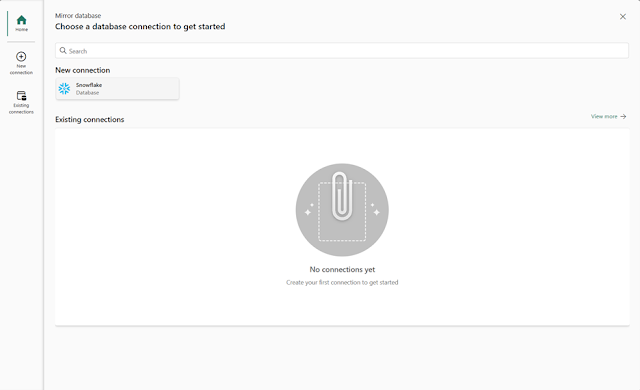
Public Preview of Database Mirroring in Microsoft Fabric

Image
We are excited to announce that Mirroring, previously announced at Ignite in November 2023, is now available to customers in Public Preview. You can now seamlessly bring your databases into OneLake in Microsoft Fabric, enabling seamless zero-ETL, near real-time insights on your data – and unlocking warehousing, BI, AI, and more.  Data driven insights are important for  every  business. With the critical need to make smart decisions, create new things, improve your products or services – time to value is everything. Yet, this can be difficult when you have data in different places, like apps, databases, and data warehouses. These places typically store data differently, so you can’t easily analyze and cross reference them – you have to laboriously move their data to a place where you can analyze and harmonize at scale. Doing this takes time, money, and typically, costly expertise to build complex, connected solutions. By the time you do this your data is old, and your in...

Copilot in Power BI (preview) is available worldwide

Image
This preview includes Copilot for Power BI, Data Factory and Data Science & Data Engineering. Since then, we have been gradually rolling this feature out and today,  we are excited to announce that our Copilot preview is now available  to all customers with Premium/Fabric capacity Getting started with copilot With our current preview, users can create reports faster and easier in the Power BI web experience. Based on a high-level prompt, Copilot for Power BI in Fabric creates an entire report page for you by identifying the tables, fields, measures, and charts that would help you get started. You can then customize the page using our existing editing experiences. Copilot can also help you understand your semantic model and even suggest topics for your report pages. It’s a fast and easy way to get started with a report, especially if you’re less familiar with report creation in Power BI. In addition to report creation, we’re excited to bring the Copilot’s unique abilit...

Dynamic subscriptions for paginated reports (Preview)

Image
We’re excited to announce a brand new feature for paginated reports available in Preview – dynamic per recipient subscriptions! This addition is designed to make it easy to distribute a personalized copy of a report to each recipient of an email subscription. How it works What you’ll need to get started Set up a dynamic per recipient subscription Things to keep in mind Let us know your feedback How it works Imagine a scenario where you have a sales report that needs to be sent to various regional managers, each interested in their respective sales territory. With a report parameterized by sales territory, dynamics subscriptions allow you to send out this report so each regional manager only sees data related to their relevant region. This is done by connecting to a Power BI dataset that defines the mapping between recipients and respective parameters. When it’s time to send out the report, the latest data available in your dataset will determine which regional manager should receive a ...

Announcing the Public Preview of Power BI Dataset Scale-Out

Image
We are excited to announce the public preview of Power BI Dataset Scale-Out, a dataset feature enabling enterprise customers to support large-scale Power BI solutions without any additional administrative overhead or infrastructure complexity. The idea is to let Power BI scale the number of dataset replicas and load-balance client connections dynamically to meet query processing demands at critical times up to the maximum available compute resources (vCores) of the underlying Premium capacity. During low-demand times, Power BI can automatically scale back to decrease the number of replicas again. In this way, enterprise customers can easily handle demand peaks in a cost-efficient and worry-free way and maximize their return on investment (ROI) in Power BI Premium compute resources. Moreover, Power BI Dataset Scale-Out improves data refresh scenarios through refresh isolation in which a separate read-write replica of the dataset is refreshed without disrupting users. Reports and client ...

Announcing Public Preview of Multiple Audiences for Power BI Apps

Image
We are excited to announce the public preview of Multiple Audiences in the Power BI Apps, one of the highly requested features from the community. With multiple audiences for an App, now Power BI App author can create multiple audience groups within the same App and assign different permissions to each group. Prior to this feature, to create multiple Apps for different audiences, the App authors had to set up different workspaces to register Apps for each audience. This workspace level isolation resulted in content duplication and operational overhead for the App Authors. With this new capability, the authors can decide which content artifact such as reports, dashboards, etc. should be shared with specific audience groups within an App using a single workspace. This allows fine-grained access permissions for the App consumers who can consume various artifacts in the App based on their group permissions and minimizes operational overhead for the App authors. Note : We have made some cha...