Posts

Showing posts with the label Announcing

Announcing the retirement of real-time streaming in Power BI

Today, we are announcing that we will be retiring real-time streaming in Power BI. This impacts organizations and users who use these capabilities today to stream data and update dashboards in real time. This blog outlines the changes, the timelines for deprecations and recommended alternatives. What is changing for real-time streaming in Power BI? Date What happens Beginning October 31 st , 2024 Creation of new real time semantic models  will no longer be supported Includes Push semantic model, Streaming semantic model, PubNub streaming semantic model, Streaming data tile Beginning October 31 st , 2027 Existing real-time semantic models  will be retired and no longer supported We are working with existing customers on migration,  this date is subject to change What should you use instead for new real-time  streaming scenarios? We recommend users explore  real-time intelligence in Microsoft Fabric  which will provide you a greater, more comprehensive e...
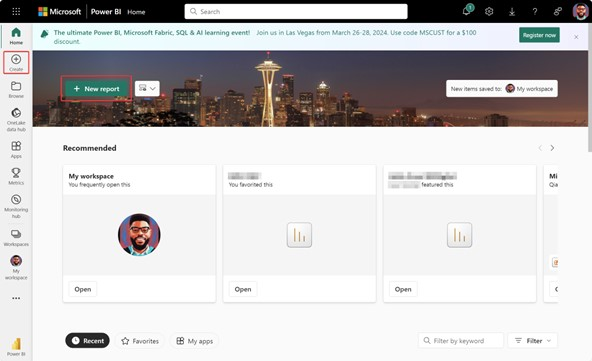
Announcing the New Data Connectors for Excel and CSV for Report Creation in Fabric

Image
We are thrilled to announce the public preview of our new Excel and CSV data connectors for creating Power BI reports in Fabric. This new feature is a significant milestone in our ongoing commitment to providing the most comprehensive, unified, and user-friendly cross-platform experience for Power BI users. By integrating Excel and CSV file support directly into the report creation experience in Fabric, we are streamlining workflows for data analysts and other information workers while making it easier than ever to access, analyze, and collaborate on data. Key Features of the New Data Connectors The new Excel and CSV data connectors are designed with flexibility, efficiency, and ease of use in mind. Here are some of the key features: Direct Import : With just a few clicks, you can now import Excel and CSV files directly from OneDrive or a local computer folder (via OneDrive) into their Fabric workspace. This eliminates the need for intermediate storage or conversion steps, significantl...

Announcing – Embed your Power BI organizational apps in Microsoft Teams Channels and Meetings

Image
We’re excited to announce that you can now embed entire Power BI organizational apps in Microsoft Teams tabs. Until now, this has been one of the top feature requests for Power BI integration with Microsoft Teams. It helps teams and organization put the full Power BI org app experiences directly where people work every day. By adding Org apps in channels and meetings, you enable everyone to access the data they need. We’ve started to roll out the experience to commercial cloud customers and expect it to be available for everyone in the next week or two. Let’s look at the new experience and its benefits. Picking an entire Power BI organizational app to embed in Microsoft Teams To embed a Power BI organizational app, add a Power BI tab to a channel or meeting. Go to the Apps pivot in the selection you and notice the  new checkbox next to the app name . When you check the box, you’re choosing to embed the entire organizational app in the Power BI tab.  If you don’t see an app in ...