Posts

Showing posts with the label database

Public Preview of Database Mirroring in Microsoft Fabric
Image
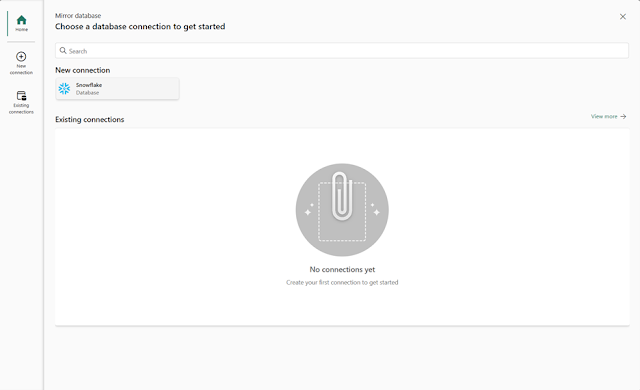
We are excited to announce that Mirroring, previously announced at Ignite in November 2023, is now available to customers in Public Preview. You can now seamlessly bring your databases into OneLake in Microsoft Fabric, enabling seamless zero-ETL, near real-time insights on your data – and unlocking warehousing, BI, AI, and more.  Data driven insights are important for  every  business. With the critical need to make smart decisions, create new things, improve your products or services – time to value is everything. Yet, this can be difficult when you have data in different places, like apps, databases, and data warehouses. These places typically store data differently, so you can’t easily analyze and cross reference them – you have to laboriously move their data to a place where you can analyze and harmonize at scale. Doing this takes time, money, and typically, costly expertise to build complex, connected solutions. By the time you do this your data is old, and your in...
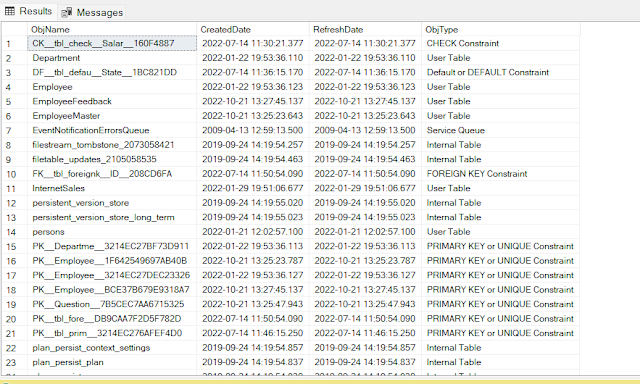
How to get SQL database objects

Image
SELECT name AS ObjName        , crdate AS CreatedDate        , refdate AS RefreshDate        , CASE [TYPE]              WHEN 'AF' THEN 'Aggregate Function (CLR)'              WHEN 'C' THEN 'CHECK Constraint'              WHEN 'D' THEN 'Default or DEFAULT Constraint'              WHEN 'F' THEN 'FOREIGN KEY Constraint'              WHEN 'FN' THEN 'Scalar Function'              WHEN 'FS' THEN 'Assembly (CLR) Scalar-function'              WHEN 'F...

VIEW SERVER STATE permission was denied on object ‘server’, database ‘master’ . (Microsoft SQL Server, Error 300)

Image
Error Message : Solution 1: Launch SQL Server Management Studio. Connect to the SQL Server Instance. Navigate to  Security  folder then expand  Logins Right Click at your login name and choose  Properties Click at  Securables  tab from left side pane In the bottom pane, scroll to the bottom and click at  Grant  option for  View Server State  value. Now click on apply to close the window. You can now ask your user to test the script again. This time it will work Solution 2: Using SQL script USE MASTER GO GRANT VIEW SERVER STATE TO [username]