Keyboard shortcuts in Power BI Desktop
You can press Shift + ? to show keyboard shortcuts, as shown in the following image.
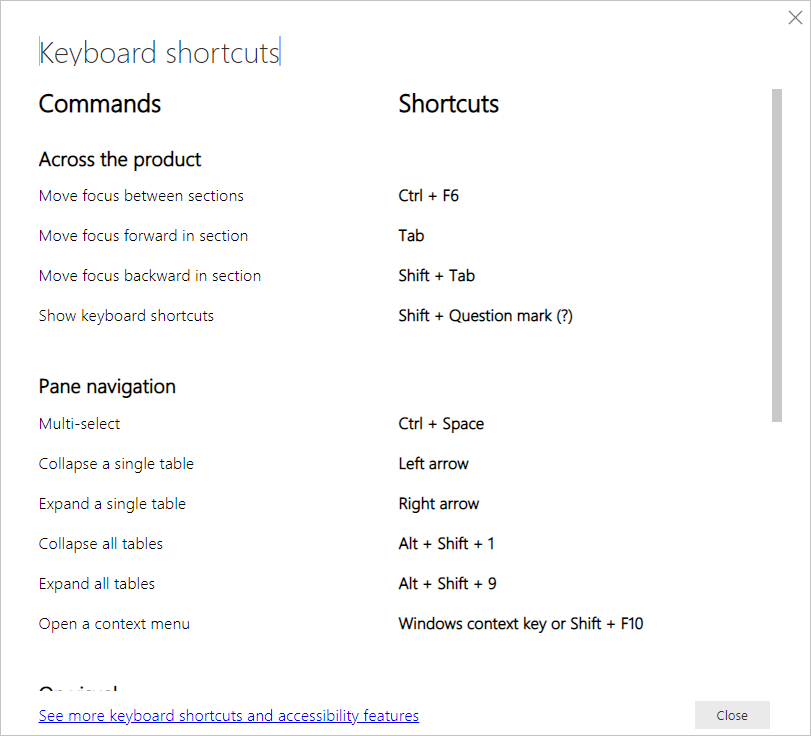
In addition to using these keyboard shortcuts in Power BI Desktop, these shortcuts work in the following experiences as well:
- Q&A Explorer dialog
- Getting Started dialog
- File menu and About dialog
- Warning bar
- File Restore dialog
- Frowns dialog
In our continued effort to improve accessibility, the previous list of experiences also support screen readers and high contrast settings.
Interesting post because small workflow improvements like shortcuts are easy to underestimate until dashboards become more complex. It made me think about how productivity gains often come from reducing repetitive actions rather than adding new features. It feels like Power BI Services become even more effective when teams can spend less time navigating and more time working with insights. Curious which shortcut ends up saving the most time in daily reporting work.
ReplyDeleteThanks for your valuable feedback and please subscribe my blog for more updates.
Delete