Microsoft 365 Developer Program

Get a free sandbox, tools, and other resources you need to build solutions for the Microsoft 365 platform.

Get a free Microsoft 365 E5 developer subscription​

Be your own administrator and prototype apps and solutions on your sandbox subscription.

  • Includes 25 user licenses for development purposes
  • Access core Microsoft 365 workloads and capabilities (Windows not included), including:
    • All Office 365 apps including SharePoint, OneDrive, Outlook/Exchange, Teams, Planner, Word, Excel, PowerPoint, and more
    • Office 365 Advanced Threat Protection
    • Advanced analytics with Power BI
    • Enterprise Mobility + Security (EMS) for compliance and information protection
    • Azure Active Directory for building advanced identity and access management solutions
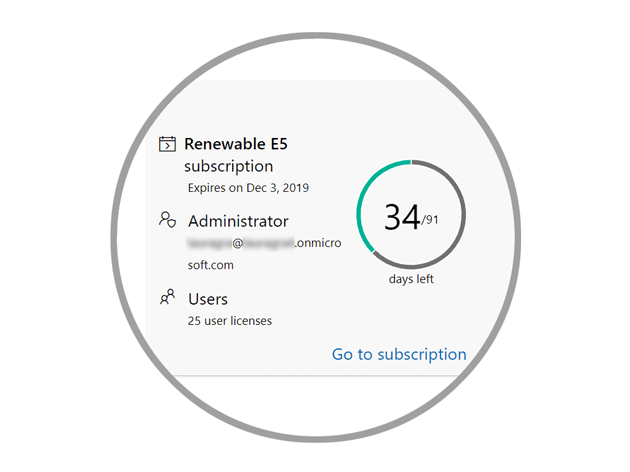
      Microsoft 365 E5 subscription tile
 

Automate your sandbox configuration with sample data packs

Install sample data packs to populate your subscription with the data and content you need to build and test your solutions. These sample data packs simulate a small corporate environment.

  • The Users sample data pack creates 16 fictitious users on your subscription and includes the licenses, mailboxes, names, metadata, and photos for each user.
  • The Mail and Events sample data pack adds Outlook email conversations and calendar events for each of the 16 users installed.
  • SharePoint sample data pack with templates coming soon!
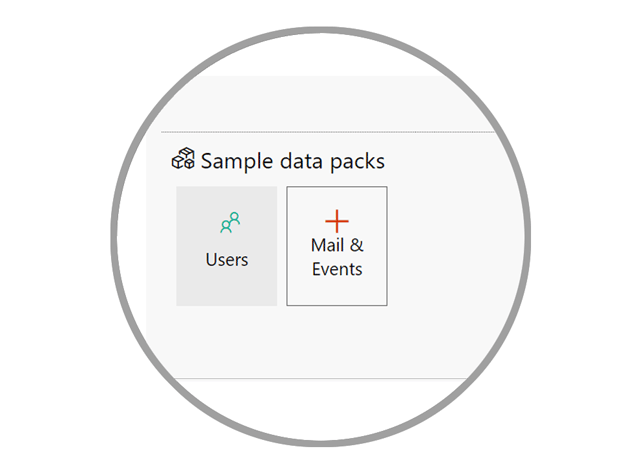
Sample data pack install buttons

Get access to a community of Microsoft 365 experts

Learn directly from Microsoft developers, program managers, and MVPs. Get access to community calls every week, as well as global bootcamps and first- and third-party events, to learn more about Microsoft 365 products and technologies, including:

  • Microsoft Graph
  • SharePoint Framework
  • Microsoft Teams
  • Office Add-Ins including Outlook, Excel, Word, and PowerPoint
  • Microsoft identity platform
  • Adaptive Cards
Image of a diverse group of people

Discover more with personalized content recommendations​

Tell us your areas of interest in your sign-up preferences, and we will personalize your dashboard to help you discover the latest code samples, tools, training, and other assets tailored to your areas of interest.

 Reference : Microsoft 365 Developer Program

Comments

  1. Really good information to show through this blog. I really appreciate you for all the valuable information that you are providing us through your blog.

    ReplyDelete
  2. I appreciate the time you spent finding that information

    ReplyDelete

Post a Comment

Hi User,
Thanks for visiting My Blog and please provide your valuable feedback and subscribe for more updates. Please don't post any spam content or comments.
Thank You

Popular posts from this blog

SSRS INTERVIEW QUESTIONS

Q: What is SSRS? Ø   SSRS or SQL Server Reporting Service is a server-based report generation software systems from Microsoft and is part of Microsoft BI. Ø   It is used for preparing and delivering interactive and variety of reports. Ø   It is administered through an web based interface. Ø   Reporting services utilizes a web service interface for supporting and developing of customized reporting applications. Ø   SSRS lets you create very rich reports (Tabular/Graphical/Interactive) from various datasources with rich data visualization (Charts, Maps, sparklines) Ø   SSRS allows are reports to be exported in various formats (Excel, PDF, word etc) Q: Explain SSRS Architecture? Reporting services architecture comprises of integrated components. It is a multi-tiered, included with application, server and data layers. This architecture is scalable and modular. A single installation can be used across multiple computers. It includes the fo...

Exception deserializing the package "The process cannot access the file because it is being used by another process."

TITLE: Microsoft Visual Studio ------------------------------ Failed to start project ------------------------------ ADDITIONAL INFORMATION: Exception deserializing the package "The process cannot access the file 'E:\SSASCube\HistoricalDataLoad\HistoricalDataLoad\bin\Development\HistoricalDataLoad.ispac' because it is being used by another process.". (Microsoft.DataTransformationServices.VsIntegration) ------------------------------ The process cannot access the file 'E:\SSASCube\HistoricalDataLoad\HistoricalDataLoad\bin\Development\HistoricalDataLoad.ispac' because it is being used by another process. (mscorlib) ------------------------------ BUTTONS: OK ------------------------------ While running SSIS package i got the error “The process cannot access the file ‘*.ispac’ because it is being used by another process”. I tried to close SSDT and run it again but, I still got the same error while compiling. Then, after searching over internet, I got...

Failed to execute the package or element. Build errors were encountered

Error: TITLE: Microsoft Visual Studio ------------------------------ Failed to execute the package or element.   Build errors were encountered. For more information, see the Output window. ------------------------------ BUTTONS: OK ------------------------------   Solution: We tried to close SSDT and run it again but, we still got the same error while running SSIS package. Then, we need to follow bellow solution: Step 1: Go to Task Manager–> Details Tab. Step 2: Locate the process “ DtsDebugHost.exe “. Kill this process. There might be multiple instances of this process. Kill all of them. Step 3: Rerun SSIS package